Editing Text Documents
To create text documents use the TextEdit application.
In Finder , click on the Applications folder.
Within Applications, you will find TextEdit.
Before you start using
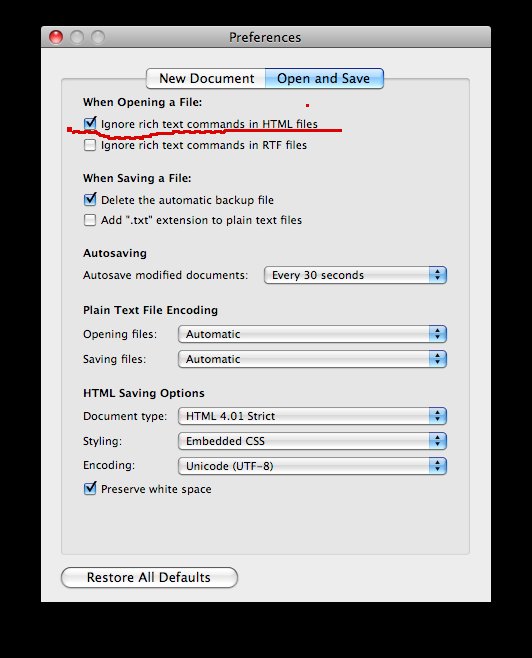
TextEdit, you need to make a few changes to your preferences, so go to
the TextEdit menu and pick Preferences.... Make sure
your settings look like the screen captures below where the important choices
are marked in red: